5th Ave Locksmith Brooklyn Service Team
Local locksmith team
May 14, 2026 11 min read
Your smart lock was supposed to make life easier — no fumbling for keys on Atlantic Avenue after a long shift, no worrying whether you remembered to lock up before heading to Prospect Park. So when you walk up to your door and the lock is dead silent, the keypad won't light up, or your phone app just spins endlessly, the frustration is real. Before you panic or start calling anyone, there are several practical fixes you can try yourself in the next ten minutes that resolve the majority of smart lock failures.
This guide walks Brooklyn homeowners through the most common smart lock problems — dead batteries, lost Wi-Fi or Bluetooth connection, frozen keypads, and firmware glitches — and gives you honest, step-by-step guidance on when a DIY fix is enough and when it's time to call a trained locksmith. Whether you've got a standard smart lock door knob on a Park Slope brownstone or a mortise smart lock on a Crown Heights multifamily, the troubleshooting logic is the same. We'll also cover what to do if you're fully locked out and need professional entry — fast.
## Start Here: Battery Issues Are the Number-One Cause of a Dead Smart Lock
It sounds obvious, but low or dead batteries cause the vast majority of smart lock failures — and they rarely give much warning. Most smart locks will chirp or flash an LED when batteries are running low, but those alerts are easy to miss. If your lock is completely unresponsive, replace the batteries first, even if you think they're fine. Use fresh alkaline AA or AAA batteries (whichever your model requires) — avoid rechargeable NiMH batteries, which run at a slightly lower voltage and cause erratic behavior in many lock models. After swapping the batteries, wait about 20 seconds before testing; some locks need a moment to reinitialize their internal circuit.
If the lock powers back on but behaves strangely — the motor sounds like it's straining, the deadbolt retracts only partway, or the keypad lights flicker — the batteries may be the right voltage but losing output under load. Replace them again with a name-brand set. While you're at it, check the battery contacts in the housing for corrosion: a small amount of white or green buildup on the terminals can interrupt power entirely. A pencil eraser or a cotton swab lightly dampened with white vinegar will clean the contacts without damage. Dry thoroughly before reinserting fresh batteries. This single fix resolves roughly half of all 'dead lock' calls we receive across Brooklyn neighborhoods.
## Connectivity Fixes: When Your Smart Lock Won't Talk to Your Phone or Hub
If the keypad and manual functions work but your phone app can't control the lock, the problem is connectivity — not the lock hardware itself. Start with the basics: toggle your phone's Bluetooth off and back on, then stand within six feet of the lock and try reconnecting. Bluetooth range is genuinely short for many smart locks, and interference from dense Brooklyn building walls (especially pre-war brick construction common in neighborhoods like Bay Ridge and Bed-Stuy) can shrink that range further. If your lock uses Z-Wave or Zigbee rather than direct Bluetooth, check that your smart home hub is powered on and connected to your router.
For Wi-Fi-enabled locks, reboot your router and check that your network is on the 2.4 GHz band — most smart locks don't support 5 GHz. If the lock was working before and nothing obvious changed, try deleting the lock from your app and re-pairing it from scratch. Also check for a pending firmware update inside your lock's app; a stuck or failed update can freeze connectivity features entirely while leaving keypad entry intact. If you've recently changed your Wi-Fi password or switched internet providers, you'll almost certainly need to reconnect the lock to the new network through the app's settings menu. None of this requires tools — just patience and a systematic approach.
## Keypad Not Responding? Here's How to Reset Without Losing Your Codes
A frozen or unresponsive keypad is one of the more alarming smart lock symptoms, but it's usually a software glitch rather than a hardware failure. The first step is a soft reset: remove the batteries, press and hold any button on the keypad for about five seconds to drain residual power from the capacitors, then reinsert the batteries. This clears the lock's active memory without wiping your saved access codes. Many Schlage, Kwikset, and similar models respond to this fix immediately.
If the soft reset doesn't work and your lock has a physical reset button (usually a small pinhole on the interior panel), you can perform a factory reset — but be aware this will erase all programmed user codes and, depending on the model, may require you to re-pair the lock with your app and hub. Before you do a full reset, pull up the manufacturer's support page for your specific model to confirm the exact reset procedure; the steps differ meaningfully between brands and even between product generations. If you're dealing with an August smart lock installation that's gone unresponsive, the August app has a dedicated 'factory reset' option in the device settings that walks you through the process more safely than the pinhole method. After any reset, reprogram your codes one at a time and test each before closing and locking the door — never lock yourself out mid-setup.
This is also a good moment to think about whether your lock hardware is properly aligned. A misaligned strike plate or a door that's swollen with humidity (very common in older Brooklyn buildings during summer) can put mechanical stress on the motor, causing it to read as an electronic fault when it's actually a physical one. Open the door and manually work the deadbolt by hand. If it moves stiffly or binds before it's fully extended, the problem isn't electronic — it's the door frame, and a locksmith who works with mortise lock hardware will spot that immediately.
## When It's a Mortise Lock Issue — and Why That Changes Everything
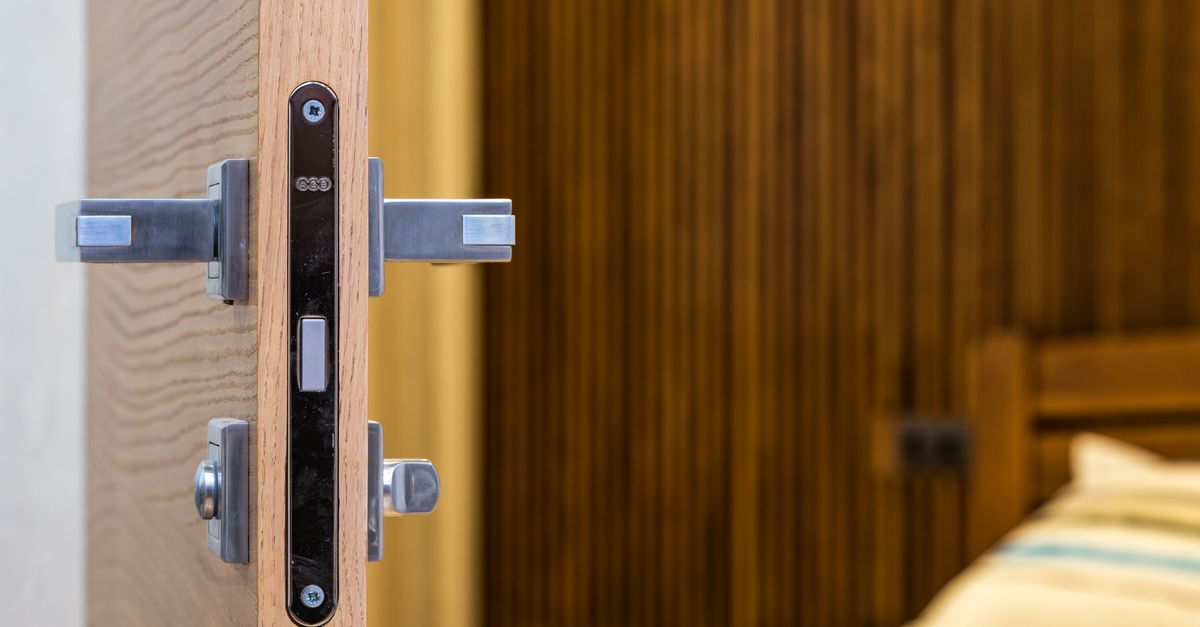
Standard smart lock troubleshooting assumes you have a cylindrical lock format — the kind where the smart module replaces the interior thumbturn on a standard deadbolt. But a significant number of Brooklyn homes and multifamily buildings use mortise lock hardware: a rectangular lock body mortised into the edge of the door, with a separate cylinder and a more complex internal mechanism. A mortise smart lock combines this traditional high-security format with electronic access, and troubleshooting one requires more specific knowledge. If your mortise lock smart lock is unresponsive, all the battery and connectivity steps above still apply — but if the issue is mechanical (the cam isn't turning, the lever feels loose, or the lock case itself seems to have shifted), do not force it.
Forcing a mortise lock when something is mechanically wrong can cause internal damage that turns a simple service call into a full lock replacement. At 5th Ave Locksmith Brooklyn, our experienced team works with mortise lock hardware daily — on brownstones, apartment buildings, and commercial storefronts from Downtown Brooklyn to East Flatbush. We carry common mortise lock components and can diagnose whether the problem is the smart module, the lock body itself, or the cylinder. If you're locked out and a mortise lock is involved, call us at 718-715-1637 — we're available around the clock, and we'll confirm an exact price before we touch anything.
## When to Stop Troubleshooting and Call a Brooklyn Locksmith for Entry
There's a clear line between a DIY fix and a situation that requires a trained professional — and crossing it without the right tools can cause real damage. If you've tried fresh batteries, a soft reset, and a connectivity fix, and the lock still won't respond or won't release the deadbolt, stop. Attempting to force entry, manipulate the lock cylinder without the proper tools, or remove lock components while the door is closed are not safe or productive approaches. Instead, check for other legitimate entry options first: a spare key with a trusted neighbor, a building super, or a back entrance you may have overlooked.
If no legitimate alternative exists, that's when you call an emergency locksmith. A skilled locksmith can verify your identity as the occupant, open the door without damage, and then diagnose the underlying lock problem so you don't get locked out again tomorrow. For Brooklyn homeowners asking how much a locksmith costs or what an emergency locksmith costs near me, the honest answer depends on several factors: the type of lock involved (a standard smart lock door knob is simpler to address than a high-security mortise lock), the time of day, travel distance within the borough, and whether parts are needed. We always confirm an exact up-front price before any work begins — no surprises.
Beyond lockouts, our team handles smart lock installation from scratch, rekey smart lock services when you move into a new place or want to reset who has access, and full door hardware assessment for buildings where the existing lock is no longer a good fit for the door. If you've been wondering about smart lock installation near me and aren't sure which format works for your door type, we'll evaluate the door and recommend the right solution — whether that's a smart lock installation service for a straightforward deadbolt upgrade or a more involved mortise smart lock retrofit. We serve all of Brooklyn, 24 hours a day, seven days a week. Call 718-715-1637 any time.
## Our Full Range of Services for Brooklyn Homes, Buildings, and Vehicles
5th Ave Locksmith Brooklyn is a 24/7 mobile locksmith serving every neighborhood in the borough — from Williamsburg to Canarsie, from Greenpoint to Flatbush. Here is a specific look at what we handle: residential lockout service, commercial lockout service, emergency locksmith response, smart lock installation, mortise lock installation and repair, mortise smart lock retrofitting, smart lock door knob installation and replacement, August smart lock installation, Schlage and Kwikset smart lock setup, rekey smart lock service, full residential rekeying, master key system setup, lock replacement for worn or damaged cylinders, high-security deadbolt installation, door knob lock replacement, commercial locksmith service for storefronts and office buildings, mailbox lock repair and replacement, intercom and access control system coordination, car lockout service, ignition lock cylinder repair, broken car key extraction, transponder key programming, key duplication for home and office, lock repair after break-in or attempted break-in, and security consultation for new tenants moving into Brooklyn apartments. Whether your situation is urgent or planned, our team arrives equipped to handle it on the spot.
Frequently asked questions
How much does a locksmith cost in Brooklyn, and what affects the price?+
There is no single flat rate for locksmith work in Brooklyn because the final price depends on the specific situation. Factors include the type of lock involved (a smart lock door knob is a different job than a mortise smart lock or a car ignition), the time of day, how far our technician needs to travel within the borough, and whether replacement parts are needed. What we can tell you is that we always confirm an exact price up front before any work begins, so you know exactly what you're agreeing to before we start.
How much does an emergency locksmith cost near me in Brooklyn?+
Emergency locksmith pricing varies based on the same core factors: lock type, time of day (late-night calls typically reflect different rates than daytime appointments), location within Brooklyn, and the complexity of the job. A standard lockout where the lock just needs to be opened is a different scope than a situation involving a damaged mortise lock that needs same-night repair. We give you a clear, confirmed quote before we do anything, and we're available 24/7 at 718-715-1637.
Can I rekey a smart lock, or do I have to replace the whole thing?+
In most cases, yes — you can rekey a smart lock without replacing the entire unit. Rekeying changes the internal pin configuration of the lock cylinder so that old physical keys no longer work, while the smart electronics and your digital access codes remain intact (or can be reprogrammed separately). This is a common service for Brooklyn renters moving into a new apartment or homeowners who want to reset physical key access after a change in occupancy. Our team handles rekey smart lock service for a wide range of lock brands and formats.
My smart lock works fine electronically but the deadbolt feels stiff — is that a lock problem or a door problem?+
Usually it's a door problem, not the lock itself. Brooklyn's older building stock — especially pre-war brownstones and wood-frame homes — is prone to seasonal door swelling. When humidity rises in summer or the building settles, door frames shift just enough to misalign the deadbolt with the strike plate. This puts extra load on the lock motor, which can trigger fault errors or premature battery drain. A locksmith experienced with mortise lock hardware can assess the alignment quickly and determine whether adjusting the strike plate solves it or whether the door needs more substantial attention.